
How to manage your Hatch chile subscription
You can cancel, pause, skip a shipment, or swap products yourself from your customer account at hatch-green-chile.com — log in and open the Subscriptions section.
Changes save immediately and you'll see a confirmation on screen and by email. Failed-charge questions need a human; everything else is self-serve.
Managing your subscription in your account
Log into your account at hatch-green-chile.com/account and click Subscriptions. From there you can:
- Cancel a subscription (next charge stops immediately)
- Pause for a stretch of time
- Skip a single upcoming shipment
- Swap to a different product
- Change delivery frequency (monthly, every two months, quarterly, every six months, or annual)
- Change quantity (e.g., 5lb to 10lb)
- Update your shipping address
Log into your account → Subscriptions
All changes save immediately. If you can't get into your account — wrong email on file, password reset not landing, anything else — call 575-267-2067 (9 am–5 pm Mountain, Mon–Fri) and we'll take care of it on our end.
Cancel anytime in your account
Cancellation is done from the customer account portal. Sign in, open Subscriptions, and click Cancel on the subscription you want to end. The change takes effect immediately — no further charges, no future shipments. Orders that have already shipped or been billed aren't affected.
If you'd rather take a break than cancel, pausing keeps your discount tier and saved settings in place for whenever you're ready to come back. Subscriptions are tied to the email used at checkout — if you can't log in, use the password-reset link first. Cancelling does not delete your account or order history.
If a subscription disappears and you didn't cancel it yourself, a failed charge most likely auto-canceled it — call us and we'll show you the history. And if you're not sure whether you accidentally signed up for a subscription in the first place, log into your account → Subscriptions: anything active will be listed there, and you can cancel on the spot if it wasn't intended.
Pause or skip a shipment
Pause and skip are both in the same Subscriptions section of your account.
- Pause holds the subscription indefinitely — same products, same frequency, same discount tier — until you resume. Nothing ships and nothing is charged.
- Skip affects only the next scheduled shipment. The one after that ships on the normal schedule.
- Change frequency (monthly to every other month, for example) applies to all future shipments.
Skip is the right tool for a vacation or a few weeks away. Pause is a better fit if you have too much product on hand or want a longer break. To resume a paused subscription, log back in and click Resume — the next shipment goes out on the next available ship day for that product type.
Swap products for future shipments
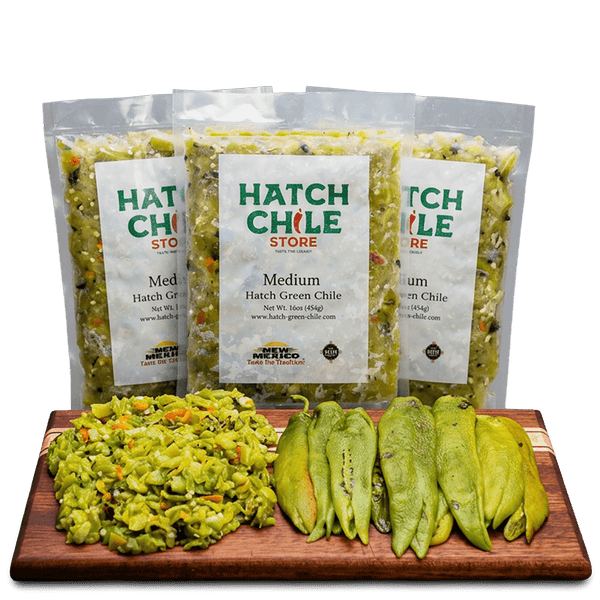
Swaps apply to your next shipment, not orders already in motion. From the portal you can change heat level, switch between whole and chopped, adjust quantity, or update the shipping address on any active subscription. The portal shows your next ship date — that's the first shipment the swap affects.
If your next charge is within a day or two, call 575-267-2067 so we can confirm the new selection makes it onto that shipment in time. We don't mix heat levels in a single box, so mild and hot need separate subscriptions or separate one-time orders.
If a swap requires a price adjustment (5lb to 10lb, for example), the new price applies to the next shipment.
If the order you want to change is a one-time purchase rather than a subscription — for example, you accidentally ordered the wrong product and want to swap or remove an item — the Subscriptions section can't help with that one. Call 575-267-2067 before it ships, or see our cancel-my-order page for the order-side fix.
Out-of-stock items auto-pause
If a product in your subscription is temporarily out of stock, the subscription pauses automatically until we restock — you won't be charged for missed shipments and we'll email you when it's available again. If you'd rather not wait, go to your account → Subscriptions and swap to an in-stock alternative (mild for medium, whole pods for chopped) so the schedule continues uninterrupted, or pick a different subscription product entirely. If neither works and you'd prefer a refund instead, call 575-267-2067 and we'll cancel the affected shipment and refund any charge.
Failed-charge emails always need a human
Don't retry from your end
If you get a failed-charge or billing-issue email, don't try to retry the charge from your end. Reach us at 575-267-2067 (9 am–5 pm Mountain, Mon–Fri) or through our contact form with your HATC- order number and the email on the account. We'll sort it out directly so you don't end up double-charged or with a missed shipment.
When to contact us
If self-service isn't working, you need a mid-cycle change the portal won't allow, or you're not sure whether a subscription is with us or another company, call 575-267-2067 or use the contact form. Have the email on the subscription handy. Subscriptions for Fresh Chile Co. or Ol' Gringo Chile Co. are managed by those companies — we can't make changes on their side.
Frequently asked questions
How do I cancel my subscription?
Log in to your account at hatch-green-chile.com, open Subscriptions, and click Cancel on the active subscription. Change is immediate — no further charges, no future shipments.
How do I pause my subscription?
Same place: Subscriptions section of your customer account. Click Pause and the subscription holds indefinitely until you resume. Your products, frequency, and discount tier stay saved.
Can I skip just one shipment?
Yes. Use Skip in the Subscriptions section to skip only the next shipment. The one after that ships on the normal schedule.
How do I change products in my subscription?
Log in and edit the subscription — change heat level, whole vs. chopped, or quantity. Swaps apply to the next shipment, not anything already processed.
My card was charged but failed — what do I do?
Don't retry from your end. Call 575-267-2067 or use the contact form with your HATC- order number and we'll handle it directly.
How do I manage my subscription online?
Log into your account at hatch-green-chile.com/account and click Subscriptions. From there you can cancel, pause, skip an upcoming shipment, swap products, change your delivery frequency, change quantity, or update your shipping address. Changes save immediately. If you can't get into your account, call 575-267-2067 (9 am–5 pm Mountain, Mon–Fri) and we'll handle it on our end.
My subscription was canceled and I didn't cancel it — what happened?
Usually one of two things: a failed charge auto-canceled it, or someone else on the account made the change. Call 575-267-2067 with your HATC- order number and we'll pull the history and get it reinstated if needed.
My subscription is not showing on my account.
The subscription is tied to the email used at checkout, which isn't always the email you log in with. Try the password-reset flow on the address that received the original confirmation email. If it still doesn't show up, call 575-267-2067 and we'll find it.
Did I accidentally sign up for a subscription?
Possibly — the "Subscribe & Save" option is selected by default on some product pages. Log into your account → Subscriptions and you'll see any active ones. If you'd rather have a one-time order, cancel the subscription right there and the next charge stops immediately. Already-shipped orders aren't affected.
Can I change the delivery frequency?
Yes — in your account → Subscriptions, edit the subscription and pick a new schedule. Options are monthly, every two months, quarterly, every six months, and annual. The new schedule applies to all future shipments.
Can I change my subscription box size?
Yes. In your account → Subscriptions, edit the subscription and change the quantity (e.g., 5lb to 10lb on a green chile subscription). The new price applies to the next shipment, not anything already billed. If you'd rather we change it on our end, call 575-267-2067.
I want a swap for an out-of-stock item — what are my options?
Two paths from the portal: wait, and we'll resume the subscription when the item is back in stock, or swap to an in-stock alternative right in your account → Subscriptions so the schedule continues uninterrupted. If neither works, call 575-267-2067 and we'll cancel the affected shipment and refund.